

What Do We Do with Screen Time?
If you lead an elementary school, you have likely heard the concerns:
Screens harm children’s eyes. Screens rewire young brains. Young children need books and blocks, not tablets.
The media shares research and warnings; parents raise these worries at back-to-school night and parent meetings; teachers raise them in faculty meetings; and board members raise them when technology purchases come up for discussion. The concerns deserve a thoughtful response. They also deserve an accurate one, because the research tells a more useful story than the headlines do. The problem isn’t simply that children use technology.
The more important questions are:
- • What are children doing with technology in the classroom?
- • What are they not doing because they are using technology?
- • Are adults intentionally designing the conditions for technology’s use?
This is what matters in the battle against too much screen time. As with all research, you have to consider all of the components.
- • The near-work aspect of screen time is associated with myopia. However, reading and writing are also near work, with the same effect on the eyes. It’s important that students take a break from near work about every 20 minutes to look far away, perhaps out the window; this lets the eye switch from a near focus to a far focus and back. In a randomized school-based trial of more than 1,900 6-year-olds in China, adding one 40-minute period of outdoor activity to each school day resulted in a 23% relative reduction in new cases of myopia over 3 years (He et al., 2015; JAMA Network).
- • Low-level radiation emitted from computers is touted to be safe; however, some in the medical community believe young brains are at greater risk and recommend downloading content and disconnecting from the Wi-Fi. It’s the Wi-Fi connection that is problematic in this case, not the screen. Make sure classroom computers are hardwired and not running on Wi-Fi. For tables, where possible, download content and disconnect from Wi-Fi. And minimize the amount of time in a day students are using Wi-Fi or Bluetooth.
- • Blue light from screens is known to cause problems: eye strain and sleep disruption. It is not known to cause any permanent eye damage. Again, ensure that students are not sitting at a computer for long periods of time, and avoid screen use within an hour of bedtime.
- • Some of the popular studies have very small sample sizes, but the headlines get the attention. So the more you dig into the research, the more you can respond.
The Technology Pendulum Swings

I am a former computer programmer from the 1970s (short detour from teaching) who then returned to schools to introduce technology to them in the 1980s. I immediately thought, “Computers don’t belong in labs; they belong infused into the learning process.” I have seen amazing uses of technology that support learning, and I have seen awful uses of technology that detract from learning. We have to avoid the “It’s all good” or “It’s all bad” approach to technology.
Technology Helps!
Anyone remember “Reader Rabbit” and “Writer Rabbit”? I watched a first-grader type the sentence “I lik my dog.” and then hit the speech button. The computer read “I like my dog” and the child frowned. After starting at the sentence for a few seconds, he added the “e” after lik, hit the speech button again, and beamed! That NEVER would have happened in a class of 20+ students with one teacher and no computers. That immediate feedback! The student agency allowing the student to reflect and self-correct!
Want to engage kids in real-world problem solving through PBL? Without technology? Noooo! The internet allows students to find real-world data and get excited about it.
I watched students create population pyramids simulating societies in first and third world countries, changing the data based on health care and education, making predictions and testing them out, and developing solutions. Can’t do that easily, certainly not within a class period, with technology.
Technology Hinders!
Then came Computer-Based Education (CBE). All lessons were on computer. Put the students in a lab with an aide and have them engage in their lessons. They’d then take an assessment and, based on their progress, the program would remediate or move them on. WHAT AN AWFUL USE OF A COMPUTER! As though we could replace teachers! The result? No teacher to facilitate and question students’ thinking or help them build executive function. No social engagement around learning; just isolated experiences between student and computer.
Multimedia brought with it games and videos and companies that knew little about pedagogy or how the brain learns. My favorite example was being in a classroom where the teacher was proud to show off his independent learners who were studying ancient civilizations. He excitedly introduced me to the class and then asked a student to tell me how you would know your caste in ancient India. “A lottery!” one student called out. He looked confused and asked another student who affirmed, “Yeah, you spin a wheel!” This went on and on. I asked to see his activity list and found a popular company’s video. We watched the video, which was clearly designed to entertain (as if learning isn’t entertaining enough, which it is!). A cartoon character asks the question and spins the wheel to determine the caste. And after all the joking, it says, “No, that’s not it” and goes into the correct explanation. What the video designer did not know about was the “primacy-recency” effect in learning. When there is cognitive dissonance (where you think, “I don’t know the answer”), the first thing you hear (primacy) will be stored as the answer. Phew! You found the answer! Too bad it was the incorrect one. Not one student in the class knew the correct answer. Ugh!
Find the Middle Ground
In January 2026, the American Academy of Pediatrics (AAP) released a new policy statement on what it calls the digital ecosystem surrounding children and adolescents. The AAP argues that children’s digital experiences are now too pervasive and complex to think about solely in terms of “screen time.” Its current guidance emphasizes the quality and context of media use, including what media use may be crowding out of children’s lives (American Academy of Pediatrics).
That phrase, crowding out, is particularly important for educators. What is the screen replacing?
Is it replacing play? Outdoor time? Movement? Conversation? Manipulation of real objects? Interaction with a teacher?
Or is technology allowing a child to create something, investigate a question, collaborate with a classmate, revisit directions independently, receive immediate feedback, or accomplish something that would otherwise be difficult or impossible?
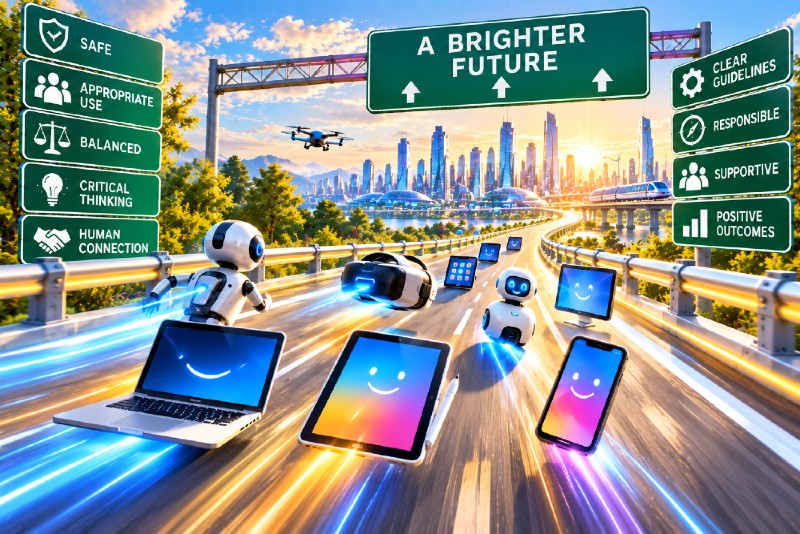
Those are very different uses of a screen. And that is why I believe young children need guardrails, not bans. Here are my 7 guardrails.
Guardrail 1: Keep the Learning Experiences Moving
Students attention span is roughly 2–3 minutes per year of age. So pre-K students should be involved in activities that are shifting every 5 to 10 minutes; by second grade, activities could expand to 20 minutes. Students should not be spending long periods of time in any one learning experience, technology or not. The brain benefits greatly from short bursts of attention to content and from using multiple neural networks (speaking, listening, physically manipulating). And learning is social! So moving from individual to paired experiences is important. Play builds executive function! Movement and deep breathing help regulate the nervous system for greater self-regulation.
When I design Future-Powered PK–2 Classrooms, the focus is on short chunks of time, for example:
- • Morning Meeting to set the stage for the day; includes song and movement (10–15 min)
- • Choice Learning Block where students choose activities, including technology use (10–15 min)
- • Small-Group Lesson for direct instruction from the teacher (7–10 min)
- • Transition Time where students engage in deep breathing, movement, or chair pushups for self-regulation (3 min)
- • Whole-Group Engagement, perhaps for a read-aloud or facilitated discussion groups (10–15 min)
- • Facilitated Play (creative and strategic play) alone and with others, with physical objects, where the teacher is observing and asking questions to promote building executive function (10–15 min)
And these activities keep cycling. Technology is used sometimes, not all of the time.

And within all of those learning experiences, when it comes to using technology . . .
Guardrail 2: Think Purpose First
Technology should serve a learning goal, never simply fill time.
In my book Students Taking Charge K–5, I distinguish between automational and transformational uses of technology. Automational use allows students to do something electronically that they could already do without the computer. Transformational use makes something possible that would otherwise be impossible or impractical.
That is where technology earns its place.
A kindergartner might replay a short how-to video on using a glue stick rather than waiting for the teacher to repeat the directions. Second-graders might record themselves reading aloud and listen for their own errors. Partners might test predictions in a science simulation. Students might program a simple robot and immediately see the results of their thinking.
Compare those experiences with playing an unrelated game as a reward for finishing work, watching a video because there are 10 minutes left before lunch, or spending extended periods completing repetitive drill exercises.
The question shouldn’t be, “Can we use technology for this?” Ask instead, “What does technology add to this learning experience?”
If the answer is nothing, don’t use it.
Think, “How can technology give my students opportunities I can’t offer them?” When you find a clear and powerful purpose, use technology! If you just want to keep students busy, break out the crayons!

And even when it’s purposeful . . .
Guardrail 3: Make Technology One Option Among Many
When technology becomes the default activity, it begins displacing everything else. When it is one resource within a thoughtfully designed classroom, it takes its place alongside books, manipulatives, games, art materials, conversations, experiments, puzzles, outdoor recreation, and other resources.
This is one reason I have long advocated for the use of a Differentiated Activity List. Students are given multiple pathways through their learning, only some of which require technology. Do I want to read the text? Follow a how-to sheet? Watch the video? Attend a lesson with the teacher? Work on my own? Work with a partner?
A computer or tablet can function as one learning center among several. A Limited Resource Sign-Up Sheet can govern access to devices. Students sign up for a block of time, complete what they need to do, and make the resource available to someone else.
Screen time becomes naturally limited without the teacher having to announce, “You have had your 30 minutes.”
Better yet, students are learning to plan their work, manage their time, and share limited resources.

And among those many options, on or off computer . . .
Guardrail 4: Learn Together
If isolation is one of the risks of technology use, make technology use social by design.
Have students gather around a device in pairs.
They might watch a short video together and respond to prediscussion questions before joining a larger conversation. Partners can code together under guidelines requiring them to discuss and agree upon each step. Students can co-author a digital document and learn that collaboration requires respecting someone else’s thinking and work.
And the teacher remains very much part of the equation.
Even if a student engages through technology individually, include a more social aspect where students then share what they learned with one another, or share the parts that were easy and difficult, how they found and fixed their mistakes, etc. Build in reflection!
As I emphasize in Students Taking Charge K–5, students should not be teaching themselves. One of the great benefits of technology is that it can free the teacher from repeatedly delivering information and directions so that more time can be spent facilitating learning.
Technology handles what technology can handle. The teacher does what only a teacher can do: listen, notice, question, probe, challenge, encourage, and respond to the individual learner.

But even with purposeful, collaborative technology use . . .
Guardrail 5: Keep Print at the Center
Books remain essential for young readers. There is still just something about touching that book that counts! In a summer kindergarten readiness program for a district with a high percentage of ELLs, we ensured that they have enough books for a teacher to read aloud two books a day. The books were also available for the students. One pair of students in a Choice Learning Block decided to “buddy read.” As the two students approached a small pile of books on the floor, one exclaimed, “Muchos libros!” You don’t get that excitement from looking at a book on computer. The students then picked books and made up stories from the pictures, pointing and turning pages (just like the teacher modeled during the read-alouds). There’s power in paper!
However, the teacher can’t read books to you all day. So a computer can be useful in offering additional read-aloud experiences. And a computer can allow students to pick a word and have the computer pronounce it and give the definition. So while we don’t want to dismiss books on computer, we want to keep print at the center of learning in the early grades. It’s all about purposeful digital design and ensuring the designers understand how the young brain learns.
And regardless of format, keep children talking about what they read.

Digital, print, whatever the activities, it’s important to . . .
Guardrail 6: Protect Play and Movement
In my book Building Executive Function, I wrote that I cannot overstate the importance of play in building executive function. I still can’t!
Play, movement, and outdoor time are not rewards children earn after completing their academic work. They are part of the learning design.
Young children need opportunities for pretend play using real-world materials. They need to build things, manipulate things, move their bodies, negotiate roles, solve problems with other children, and go outside.
Protect those experiences in the schedule, but ensure that the teacher is facilitating them. Speaking of pendulums, I do believe one of the reasons play was removed from the classroom in favor of more academics was because when students were playing, teachers were taking care of other needs. I promote facilitated play with teachers carrying a formative assessment grid of executive function skills and asking students questions that promote executive function. The reward of protecting these experiences just may be an increase in executive function, which leads to increases in student achievement.
Outdoor time should not disappear because the class needs to finish an assignment. Recess should not be withheld because a child did not complete screen-based work. Remember, the evidence that additional outdoor time can reduce the incidence of myopia gives schools another reason to protect it.
Technology belongs in a rich childhood experience. It should never replace one.

And for critical skills for life and technology use . . .
Guardrail 7: Teach Self-Regulation
This may be the most overlooked guardrail of all. A device offers distraction at the touch of a finger. One response is to remove the device. But then I have another question:
If we remove every opportunity for distraction, when do children learn to manage distraction?
Interestingly, PISA 2022 found that students in schools with cellphone bans were, in some countries, less likely to report turning off social media and app notifications when they went to sleep. The OECD cautiously suggested that students in schools with bans might not have adequate opportunities to develop self-directed strategies for managing their phones. The OECD also noted that more research is needed to understand the effects of bans fully (OECD, 2023). Start students young on building self-regulation when it comes to devices!
That doesn’t mean schools should hand young children phones so they can practice resisting them. It does reinforce a larger instructional principle: Self-regulation develops through opportunities to practice self-regulation.
Overcoming temptation is one of the executive function skills I describe in my book Building Executive Function. Like any executive function skill, it develops through guided practice. So name it.
Ask a student, “What will you do if you feel like opening a game instead of working on your activity?”
Have students set goals before using a device and reflect afterward on whether they stayed focused.
When you notice a student managing a distraction successfully, don’t simply say, “Good job.” Ask, “How did you keep yourself focused?”
Create classroom norms with students. Discuss them. Revisit them. Help children recognize what distraction feels like and develop strategies for responding to it.
That is very different from posting a list of device rules and policing compliance.
Removing temptation controls behavior. Learning to manage temptation builds executive function.

What Should Leaders See?
If the guardrails are working, you should be able to see and hear them during a classroom walkthrough. Walk into a classroom using technology well and you shouldn’t simply see rows of children staring at screens. You should hear conversation.
You should see students moving among devices, books, manipulatives, play materials, and other resources. You might see two or three children gathered around a device rather than every child sitting alone with one. You should see teachers sitting with students, asking questions, and facilitating thinking.
Most importantly, talk to the students. Ask students:
- • Why did you choose this activity?
- • What are you learning right now?
- • What do you do if you get stuck?
- • How do you stay focused when you are working on the computer?
Students who can answer those questions clearly tell you far more about the quality of technology use than a screen-time calculation ever could.
Guardrails, Not Bans
The debate over children and screens too often presents school leaders with a false choice: Embrace technology or restrict it. There is a third path.
Give young children books. Give them blocks and manipulatives. Give them time outdoors. Give them opportunities to pretend, build, talk, collaborate, move, wonder, and play.
And give them technology when technology adds something worthwhile to the learning experience.
Then teach them how to use it well.
Technology can help young learners find resources, pursue their own questions, create, collaborate, solve problems, and move forward without waiting for an adult to direct every step. That growing independence is part of how children develop efficacy.
The guardrails approach does require something from us. Teachers need professional learning. Leaders need to pay attention to what technology use actually looks like in classrooms. Families need clear communication. Schools need to make intentional decisions about when, why, and how devices are used.
Those are costs of effort.
The costs of a restrictive approach are costs of opportunity, and students bear them. Students won’t get to a rich an exciting future if we eliminate technology from their present. And the thought that they’ll catch up in later grades when we give back the technology . . . well that’s another blog post! But the answer is, they won’t! Given so many people are worried about AI taking over the world, you’d think they’d want to ensure students know how to use technology well and not let technology use them! That learning begins in the earliest experiences of technology use.
The goal isn’t more technology. It isn’t less technology. It’s better use of technology.
And that requires guardrails.
My educational consulting and products companies, IDE Corp. and EdQuiddity Inc, can help!
- • Let us help build your Instructional Technology Use plan to offer guardrails for your teachers and students.
- • Enroll your teachers in our on-demand, full-faculty Professional Learning Experience Fostering Student Agency Through Differentiated Activity Lists or Executive Function: The Pathway to Student Achievement.